
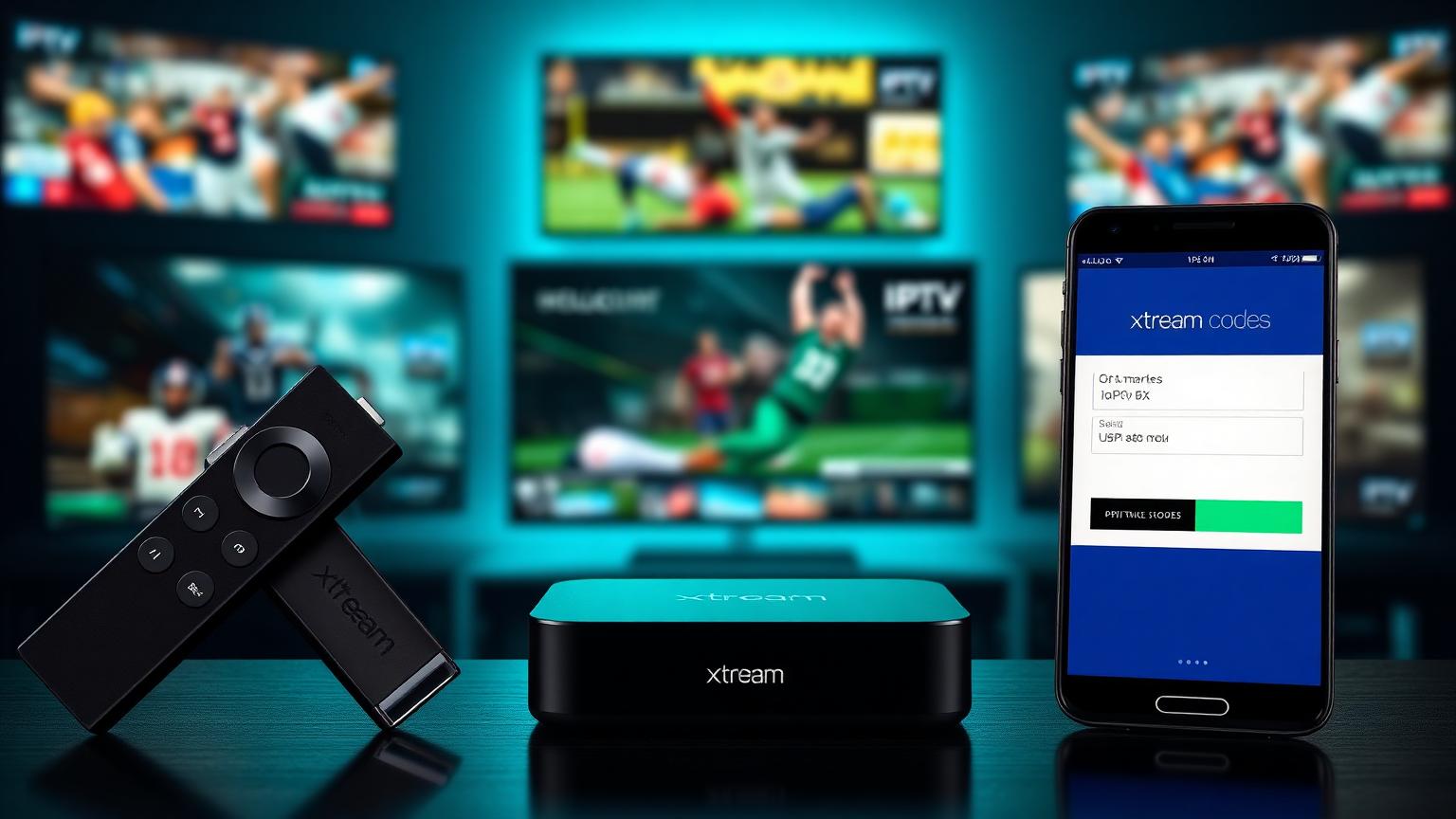
What Is Xtream IPTV?
Xtream IPTV refers to IPTV services that use the Xtream Codes API as their connection method. It is not a single provider — it is a login format that thousands of IPTV providers worldwide use to deliver their channels and content to subscribers.
When you subscribe to an IPTV service that uses Xtream Codes you receive three pieces of information from your provider:
- A server URL — the address of the provider's streaming server
- A username — your unique account identifier
- A password — your account authentication key
You enter these three details into any compatible IPTV player app and your channels, EPG guide and VOD library load automatically. No manual playlist downloads. No URL copying. Just three fields and you are watching.
This is why you see so many providers describe themselves as Xtream IPTV compatible — they are telling you that their service works with this login method.
Xtream Codes vs M3U — What Is the Difference?
There are two main ways IPTV providers deliver their channel lists to subscribers. Understanding the difference helps you choose the right setup for your situation.
M3U Playlist
An M3U playlist is a text file containing a list of channel stream URLs. Your provider gives you a single long URL that points to this file. You paste it into your IPTV player and the player reads the file and loads all the channels.
Advantages of M3U:
- Works with virtually every IPTV player including VLC
- Simple to set up — one URL to paste
- Easy to switch between players using the same playlist
Disadvantages of M3U:
- No built-in EPG — you need a separate EPG source
- No native catch-up TV or VOD organization
- The full channel list downloads every time the app opens — slow on large lists
- No account management — if the playlist URL is shared it works for anyone
Xtream Codes API
The Xtream Codes API is a structured connection that authenticates your account on the provider's server rather than downloading a static file. Your player communicates directly with the server in real time.
Advantages of Xtream Codes:
- Built-in EPG delivered automatically from the server
- Catch-up TV integrated natively when the provider supports it
- VOD library organized and browsable directly in the player
- Account-level authentication — only your credentials work
- Faster channel loading — the server sends only what you need
- Account expiry and connection limits managed server-side
Disadvantages of Xtream Codes:
- Requires a compatible player — VLC does not support it natively
- If the provider's server goes down you lose access — no local backup
Which is better?
For everyday use on a dedicated IPTV player like TiviMate or IPTV Smarters Pro, Xtream Codes delivers a significantly better experience — faster loading, integrated EPG, native VOD browsing and proper catch-up TV. M3U is more universal and useful for testing or for players that do not support Xtream Codes.
Most quality IPTV providers in 2026 support both formats. Our tested providers on the best IPTV services page all support Xtream Codes API login.
How Xtream Codes Work — The Technical Picture
When you enter your Xtream Codes credentials into an IPTV player app the following happens:
Your player sends an authentication request to the provider's server using your username and password. The server validates your credentials, checks your subscription status and connection limits, and returns your account information including the channel list, EPG data and VOD library index.
From that point your player communicates with the server in real time — when you select a channel the player requests that specific stream, when you open the EPG the player pulls the current schedule, when you browse VOD the player queries the library index.
This real-time server communication is why Xtream Codes delivers a better experience than M3U for most users — the player is always working with current data from the server rather than a static file that may become outdated.
How to Set Up Xtream IPTV on Every Device
IPTV Smarters Pro — All Devices
IPTV Smarters Pro is the most widely used Xtream Codes compatible player across Firestick, Android, iOS and Smart TVs.
Setup steps: Open IPTV Smarters Pro and tap Add User. On the login screen select Login with Xtream Codes API. Enter a name for your profile — this can be anything you choose. Enter the server URL from your provider — make sure to include the full address with port number in the format http://yourserver.com:8080. Enter your username and password exactly as provided — copy and paste rather than typing manually to avoid errors. Tap Add User and your channels load automatically.
TiviMate — Firestick and Android TV
TiviMate is the preferred player for most experienced IPTV users on Firestick and Android TV. The Xtream Codes setup in TiviMate is slightly different from Smarters Pro.
Setup steps: Open TiviMate and tap Add Playlist. Select Xtream Codes from the options. Enter your server URL, username and password in the fields provided. Tap Next — TiviMate connects to the server and downloads your channel list, EPG data and VOD library index. Tap Finish when complete.
Smart IPTV — Samsung and LG Smart TV
Smart IPTV on Samsung and LG Smart TVs supports Xtream Codes via the siptv.eu configuration portal.
Setup steps: Open Smart IPTV on your TV and note the MAC address displayed on screen. On your phone or computer go to siptv.eu. Enter your TV's MAC address. In the playlist section enter your Xtream Codes server URL in M3U format — most providers supply an M3U URL alongside Xtream Codes credentials for Smart TV compatibility. Save the configuration. Refresh Smart IPTV on your TV.
GSE Smart IPTV — iOS and Android
GSE Smart IPTV is one of the better Xtream Codes compatible players available on iPhone and iPad through the App Store.
Setup steps: Open GSE Smart IPTV and tap the menu icon. Select Xtream Codes Playlist. Tap the plus icon to add a new service. Enter a name, your server URL, username and password. Tap Add — your channels and VOD library load automatically.
VLC — PC and Mac
VLC does not natively support Xtream Codes API login. For desktop use the simplest approach is to use the M3U URL your provider supplies alongside your Xtream Codes credentials. Open VLC, go to Media then Open Network Stream, paste your M3U URL and click Play.
For a fuller desktop experience with Xtream Codes support IPTV Smarters Pro is available on the Microsoft Store for Windows.
Common Xtream Codes Errors and How to Fix Them
Authentication Failed or Login Error
This is the most common error when setting up Xtream Codes. It almost always means credentials were entered incorrectly.
Check in this order: Verify you copied the username and password exactly — a single wrong character including a capital letter or trailing space causes this error. Verify the server URL includes the full protocol and port — http://yourserver.com:8080 not just yourserver.com. Confirm your subscription is active by logging into your provider's panel or contacting support. Check you are not already using your allowed number of simultaneous connections on another device.
Channel List Not Loading
If authentication succeeds but channels do not appear the issue is usually a server-side problem. The provider's server may be temporarily overloaded or undergoing maintenance. Wait 5 to 10 minutes and try again. If the problem persists contact your provider's support directly.
EPG Not Showing
If channels load but the EPG guide is empty try forcing an EPG refresh in your player settings. In TiviMate go to Settings then EPG and tap Refresh EPG Now. In IPTV Smarters Pro go to Settings and select Force EPG Update. EPG data takes a few minutes to populate after a fresh install.
Buffering on Xtream Codes Connection
Buffering with a valid Xtream Codes connection is almost always caused by one of three things — a slow or unstable internet connection, ISP throttling of streaming traffic, or server-side load on the provider's infrastructure. Test with an ethernet cable instead of Wi-Fi first. If buffering continues at specific times — particularly evenings and weekends — ISP throttling may be the cause and a VPN can help bypass it. If buffering happens at all times on all channels the issue is likely the provider's server infrastructure. Our best IPTV services guide covers the providers with the most reliable server infrastructure.
What Makes a Good Xtream Codes IPTV Provider
The Xtream Codes format is only as good as the server infrastructure behind it. A provider using Xtream Codes login can still deliver a poor experience if their servers are underpowered or oversubscribed.
The factors that determine quality behind an Xtream Codes connection:
- Server uptime — how consistently the server stays online and responds to authentication requests. Providers with weak infrastructure show this immediately when you try to log in and get connection errors.
- Concurrent connection handling — how many simultaneous users the server handles without degrading stream quality. This is what separates providers that buffer during the Super Bowl from those that do not.
- EPG data quality — how accurate and up-to-date the program guide information is. Providers with good server management keep EPG data synchronized in real time.
- VOD library maintenance — how regularly the on-demand library is updated and how fast VOD titles load when requested.
- Channel list freshness — how quickly dead or broken channel links are replaced with working alternatives.
The Best Xtream Codes IPTV Services in 2026
All six providers we independently tested over 21 days support Xtream Codes API login on all major player apps. Here is how they compare:
1. Lexa IPTV Best Overall
Best overall Xtream Codes service — our top pick for 2026.
| Channels | 22,000+ |
| Uptime | 99.9% |
| Channel switching | 1.1 seconds |
| Support response | Under 5 minutes |
| Xtream Codes | Full support |
| Score | ★★★★★ 9.7 |
Lexa IPTV delivered the strongest Xtream Codes performance across our entire 21-day test. Authentication consistently completed in under 2 seconds. EPG data was accurate and real-time with zero ghost entries. The channel switching speed of 1.1 seconds on a Xtream Codes connection is the fastest we recorded across all tested providers. 24-hour free trial available.
2. Sonix IPTV Best Budget
Best budget runner-up — strong Xtream Codes uptime at a competitive price.
| Channels | 21,500+ |
| Uptime | 99.1% |
| Channel switching | 1.4 seconds |
| Support response | Around 12 minutes |
| Xtream Codes | Full support |
| Score | ★★★★☆ 8.8 |
Sonix IPTV delivers strong Xtream Codes performance at a competitive price point. The 99.1% uptime across our test period means authentication and stream requests hit a live server almost all of the time. EPG synchronization was reliable with minor gaps on some international channels. 12-hour free trial available.
3. Blade IPTV Best for Sports
Best Xtream Codes service for sports — handles peak demand cleanly.
| Channels | 23,000+ |
| Uptime | 98.8% |
| Channel switching | 1.6 seconds |
| Support response | Around 15 minutes |
| Xtream Codes | Full support |
| Score | ★★★★☆ 8.4 |
Blade IPTV's Xtream Codes connection handles peak sports demand better than most providers at this price point. The sports channel organization through Xtream Codes is particularly well structured — categories are clearly labeled, sports events appear accurately in the EPG and the VOD sports library is browsable and organized. 24-hour free trial available.
4. Sonic IPTV Best Everyday
Best for everyday streaming — consistent Xtream Codes performance.
| Channels | 20,500+ |
| Uptime | 98.3% |
| Channel switching | 1.9 seconds |
| Support response | Around 20 minutes |
| Xtream Codes | Full support |
| Score | ★★★★☆ 7.9 |
Sonic IPTV delivers consistent Xtream Codes performance for everyday use. Not the fastest channel switching in the test but reliable enough for casual viewers who are not switching channels rapidly. EPG accuracy is solid across mainstream channels. Free trial available.
5. Gram IPTV Best International
Best for international content — 24,000+ channels.
| Channels | 24,000+ |
| Uptime | 97.9% |
| Channel switching | 2.1 seconds |
| Support response | Around 25 minutes |
| Xtream Codes | Full support |
| Score | ★★★☆☆ 7.5 |
Gram IPTV has the largest channel count of any tested provider at 24,000+ with particularly strong international coverage. The Xtream Codes VOD library organization is excellent — browsable by country, genre and language making it the easiest to navigate for international content specifically. Free trial available.
6. Hertz IPTV Best Entry-Level
Best for beginners — the lowest entry price with full Xtream Codes support.
| Channels | 20,000+ |
| Uptime | 97.4% |
| Channel switching | 2.4 seconds |
| Support response | Around 30 minutes |
| Xtream Codes | Full support |
| Score | ★★★☆☆ 7.1 |
Hertz IPTV is the recommended starting point for users trying Xtream Codes IPTV for the first time. The lowest price point of our tested providers with full Xtream Codes compatibility — a sensible entry-level choice before committing to a longer plan with a higher-tier provider. Free trial available.
Xtream Codes Compatible Players — Quick Reference
| Player | Firestick | Android | iPhone | Smart TV | PC/Mac |
|---|---|---|---|---|---|
| IPTV Smarters Pro | Yes | Yes | Yes | Yes | Yes |
| TiviMate | Yes | Yes | No | No | No |
| Smart IPTV | No | No | No | Samsung/LG | No |
| GSE Smart IPTV | No | Yes | Yes | No | No |
| XCIPTV | Yes | Yes | No | No | No |
| OTT Navigator | Yes | Yes | No | No | No |
| Perfect Player | No | Yes | No | No | No |
Frequently Asked Questions
What is the difference between Xtream IPTV and regular IPTV?
There is no difference in what you watch — the channels, quality and content are the same. Xtream IPTV simply describes IPTV services that use the Xtream Codes API login method rather than M3U playlist files. The format affects how you connect to the service, not what you receive.
Is Xtream Codes login better than M3U?
For everyday use on a dedicated IPTV player yes — Xtream Codes delivers built-in EPG, native VOD browsing, catch-up TV and faster channel loading. M3U is more universally compatible and useful for testing or for players that do not support Xtream Codes API.
What information do I need for Xtream Codes login?
Three pieces of information — a server URL from your provider, a username and a password. Your provider supplies all three when you activate your subscription. Copy and paste rather than typing manually to avoid errors.
Why does my Xtream Codes login keep failing?
The most common causes are incorrect credentials — a single wrong character causes authentication failure — an incomplete server URL missing the port number, an expired subscription, or exceeding your allowed simultaneous connections. Check each of these in order before contacting support.
Which IPTV player is best for Xtream Codes?
TiviMate on Firestick and Android TV for the best overall experience. IPTV Smarters Pro for cross-platform compatibility including iOS. Both are fully compatible with Xtream Codes and work with all our tested providers.
Do all IPTV providers support Xtream Codes?
Most quality providers in 2026 support both Xtream Codes and M3U. All six providers we independently tested and ranked on our best IPTV services page support Xtream Codes API login on all major player apps.
Ready to pick a reliable Xtream Codes IPTV service?
All six of our independently tested providers support Xtream Codes API login. See the full 2026 ranking with verified uptime, channel switching speeds and support response times.
See the Best IPTV Services →